Time Blocking for Deep Work
Plan 90–120 minute focus blocks, batch similar tasks, and use distraction-free tools so SaaS teams cut interruptions and get higher-quality work done.
Time blocking is a simple yet effective way to plan your day for focused, meaningful work. Instead of reacting to constant notifications or juggling tasks, you assign specific time slots on your calendar for deep, uninterrupted focus. This method helps you avoid the mental drain caused by frequent task-switching, allowing you to complete complex projects faster and with fewer errors.
Here’s why time blocking works:
- Reduces distractions: Group similar tasks together and minimize interruptions.
- Improves focus: Protects 90–120 minute blocks for high-priority, complex work.
- Boosts productivity: Aligns tasks with your energy levels and realistic capacity.
- Supports better planning: Prevents overcommitting and ensures critical work gets done.
For SaaS teams, time blocking can transform how you work. By scheduling deep work during peak energy hours, clustering meetings into specific windows, and using shared focus periods, productivity and collaboration improve across the board. Combine this with distraction-free tools like Onsara or Mochi, and you create an environment where deep work thrives.
Time blocking isn’t just about managing tasks - it’s about reclaiming control over your time and delivering better results without burning out.
How to schedule deep work: Time blocking | Cal Newport and Lex Fridman
::: @iframe https://www.youtube.com/embed/ykNcnrNvpTI :::
Understanding Time Blocking as a Solution
Time blocking offers a practical way to combat the mental strain caused by constant context switching, creating structured periods for focused work.
What Is Time Blocking?
Time blocking is a scheduling technique where you assign specific tasks to designated time slots in your calendar, instead of relying on an open-ended to-do list. Think of it as making appointments with yourself for certain tasks. Rather than deciding in the moment what to work on, you pre-plan your day by reserving time for particular activities.
For example, a senior developer on a SaaS team might block 9:00–11:00 a.m. for backend refactoring and 2:00–3:00 p.m. for code reviews. Each block is clearly labeled, ensuring that during those times, their attention is focused entirely on the designated task.
The beauty of time blocking lies in its structure. By deciding in advance what to focus on, you avoid the constant mental debate of "What should I work on next?" This not only saves mental energy but also transforms your calendar into a visual guide for your day.
Time blocking also provides a realistic view of your availability. If a task that requires three hours doesn’t fit into your schedule, the conflict becomes obvious, helping you avoid overcommitting. It forces you to align your workload with the time you truly have.
For SaaS teams spread across U.S. time zones, time blocking becomes even more effective when used on shared calendars. A developer in Pacific Time might block 9:00–11:00 a.m. PT for deep work, while a colleague in Eastern Time does the same from 9:00–11:00 a.m. ET. With everyone’s focus times visible, non-urgent interruptions are reduced, and the need for constant check-ins is minimized.
This method’s structured nature sets it apart from other scheduling techniques, making it particularly useful for managing focus and productivity.
Time Blocking vs. Timeboxing vs. To-Do Lists
While time blocking, timeboxing, and to-do lists might seem similar, they each have distinct roles in managing your day.
| Method | Core Idea | How Time Is Used | Best For | Deep Work Support |
|---|---|---|---|---|
| Time blocking | Allocate calendar slots for specific tasks or task types | Flexible focus periods | Organizing your day, batching tasks, and planning focus | Strong: supports extended periods of focus |
| Timeboxing | Set a strict time limit for a task, stopping when time’s up | Time as a firm boundary | Iterative work, experiments, avoiding over-perfection | Moderate: suitable for bounded tasks |
| To-do lists | Keep a prioritized list of tasks to tackle | Tasks are not tied to specific times | Capturing tasks for later scheduling | Weak: encourages reactive work |
To-do lists are excellent for capturing tasks but don’t specify when you’ll tackle them, often leading to reactive decision-making and context switching. Timeboxing creates urgency by setting hard time limits, which can curb perfectionism but might feel restrictive for tasks requiring deep focus. Many professionals find that combining these methods works best: use a to-do list to gather ideas, time blocks for concentrated work, and timeboxes for shorter, exploratory tasks.
Time blocking stands out because it’s designed to nurture sustained focus, making it a powerful tool for deep work.
The Benefits of Time Blocking for SaaS Teams
Time blocking offers a range of benefits that address common productivity challenges faced by SaaS teams:
- Dedicated time for deep work: Reserving specific slots for uninterrupted tasks ensures that complex or demanding work gets the attention it needs.
- Reduced context switching: Grouping similar tasks - like scheduling all code reviews together or handling communications in one block - minimizes mental shifts, conserving energy for focused work.
- Realistic scheduling: By aligning tasks with actual calendar time, you avoid overestimating what can be accomplished, leading to more accurate project timelines.
- Improved prioritization: Blocking time for high-priority work ensures that critical tasks are completed before less important ones take over.
- Better work-life balance: Including breaks, meal times, and a clear end-of-day routine in your schedule helps prevent burnout and supports healthier boundaries between work and personal life.
Time blocking isn’t just about managing tasks - it’s a way to reclaim control over your time, helping you work smarter and more effectively. For SaaS teams, this approach can significantly reduce interruptions and create a more productive, balanced work environment.
How to Implement Time Blocking in SaaS Work
Time blocking can help you structure your day to match your natural energy levels and reduce distractions. By aligning your schedule with your cognitive rhythms, grouping similar tasks, and setting appropriate time blocks, you can maximize productivity and focus.
Schedule Deep Work During High-Energy Hours
For most professionals in the U.S., cognitive energy peaks between 9:00 a.m. and 12:00 p.m. This makes the morning the perfect time to tackle complex tasks like system design, architectural decisions, or strategic planning that require deep focus and sustained effort [8][5].
Here’s an example of how a U.S.-based SaaS developer or product manager might organize their day:
- 8:30–9:00 a.m.: Start your day with a brief planning session. Review your backlog, update your calendar, and prioritize your most demanding tasks for the morning.
- 9:00 a.m.–12:15 p.m.: Dedicate this block to deep work. For instance, use 9:00–11:00 a.m. for coding or system design, followed by 11:15 a.m.–12:15 p.m. for architectural decisions or strategic thinking. These are your deep work blocks, so protect them from interruptions.
- 12:15–1:00 p.m.: Take a real break for lunch - step away from your screen to recharge.
- 1:00–2:00 p.m.: Use this lower-energy time for lighter tasks, such as responding to emails, updating documentation, or handling project administration.
- 2:00–4:00 p.m.: Reserve this window for meetings, including standups, one-on-ones, and customer calls. Clustering meetings in the afternoon minimizes distractions during your morning focus hours.
- 4:00–5:00 p.m.: Wrap up the day with shallow tasks like code reviews, clearing your inbox, and planning your next day.
This structure prioritizes your most focused hours for deep work while pushing meetings and administrative tasks to the afternoon. It also reduces context switching, helping you maintain momentum throughout the day [1][2][9].
To make this routine stick, adopt simple habits. At the start of each day, review your deep work priorities and block specific time on your calendar with clear titles like "Deep work – onboarding flow refactor." Avoid vague labels like "Focus." Mark these blocks as "Busy" and mute non-essential notifications to avoid interruptions [8][4].
At the end of each day, reflect on how well you stuck to your time blocks. Adjust your schedule for the next day based on what worked and what didn’t. If a task took longer than expected, move it to the next deep work block instead of squeezing it into fragmented time. Use a polite script to defer interruptions, such as: "I’m in a focus block now; I’ll be available after 2:00 p.m. - can we discuss then?" [4]
Next, let’s look at how grouping similar tasks can further optimize your schedule.
Batch Similar Tasks and Create Meeting Windows
Switching between different types of tasks comes with a mental cost. Your brain has to reset and reload information every time you change focus, leading to what’s called a "cognitive switching penalty" [3]. Batching similar tasks into dedicated blocks can help you work more efficiently.
Here are a few examples:
- Code reviews: Instead of handling pull requests as they come in, set aside specific blocks - say 11:00 a.m. and 4:00 p.m. - to focus solely on reviews. This minimizes interruptions and protects your deep work time [3][9].
- Customer support and triage: Allocate two or three blocks during the day, such as 10:30–11:30 a.m. and 3:00–4:00 p.m., to manage tickets and incidents. This keeps the rest of your schedule free for project work.
- Analytics and reporting: Combine these tasks into a single 90-minute block, perhaps on Friday mornings, instead of spreading them out over the week.
- Writing and documentation: Dedicate recurring blocks, like Tuesday and Thursday afternoons, to focus on RFCs, specs, or product updates.
Labeling these blocks clearly on your calendar improves visibility and helps reduce context switching. For example, use titles like "Code reviews – PRs" or "Writing hour – spec updates."
At the team level, you can extend this idea by creating meeting windows. A common strategy is to establish "no-meeting mornings" (e.g., 9:00 a.m. to 12:00 p.m., Monday through Thursday) for uninterrupted deep work. Schedule meetings in specific afternoon windows, such as 1:00–4:00 p.m., to keep your mornings distraction-free [9][4].
To implement this, set team-wide guidelines like: "Internal meetings should be avoided before 12:00 p.m. unless urgent." Reflect this in your calendar by blocking mornings with "Team focus hours – no meetings" and labeling afternoon slots as "Meeting window – OK to schedule." For less urgent collaboration, rely on asynchronous communication through shared documents or recorded videos. Save live meetings for truly time-sensitive discussions.
Finally, adjust the length of your time blocks to fit the complexity of your tasks.
Adjust Block Lengths for Different Work Types
Not all tasks require the same amount of time or mental energy. Research suggests that 90–120 minutes is the sweet spot for deep work before your focus starts to decline. Short breaks of 5–15 minutes between blocks can help you recharge and maintain productivity [8][5].
Here’s how to match block lengths to different types of work:
- Deep work: Reserve 90–120 minutes for tasks like feature implementation, architecture design, or data modeling. Schedule these blocks in the morning when your energy is highest, and take a short break afterward to recharge.
- Moderate-focus work: Tasks like code reviews or documentation updates work well in 45–60 minute blocks with brief breaks in between.
- Shallow work: For quick tasks like emails or Slack messages, use 25–45 minute blocks, typically in the afternoon when your focus is naturally lower.
- Meetings: Opt for 25 or 50-minute slots instead of the standard 30 or 60 minutes. This gives you time to stretch or jot down notes before transitioning to your next task.
Here’s a quick reference table:
| Block Length | Ideal For | Example SaaS Use Cases |
|---|---|---|
| 25 minutes | Quick, shallow tasks | Inbox triage, Slack catch-up, quick bug fixes |
| 45 minutes | Moderate-focus tasks | Simple code reviews, backlog grooming, documentation updates |
| 60 minutes | Mixed-focus tasks | Planning sessions, writing briefs, non-technical calls |
| 90 minutes | Deep work | Feature implementation, UX flows, complex RFCs |
| 120 minutes | High-complexity deep work | Architecture design, major refactors, analytics pipelines |
While these guidelines provide a starting point, treat your schedule as a work in progress. Experiment with different block lengths and adjust based on how well they align with your focus and interruption patterns [2][8][9]. By tailoring your time blocks, you can create a schedule that supports both productivity and balance.
sbb-itb-0499eb9
Team-Level Time Blocking for SaaS Growth
Taking the concept of time blocking beyond individuals and applying it at the team level can significantly boost productivity and alignment. By creating a shared framework for focused work, teams can reduce interruptions, clarify workload capacity, and improve collaboration. When everyone knows when to focus and when to collaborate, sprint planning becomes more effective, and the team operates with greater transparency.
Create Shared Focus Hours
Shared focus hours are designated blocks on the team or company calendar where meetings and interruptions are minimized, allowing everyone to concentrate on deep work simultaneously. These blocks, often lasting 2–3 hours, are marked as "busy" with labels like "Focus – No Meetings" or "Team Deep Work – Backend Squad."
For distributed teams in the U.S., mornings are ideal for deep work. For example, you could protect 9:00–11:00 a.m. local time and establish a shared focus window, such as 10:00 a.m.–12:00 p.m. PT / 1:00–3:00 p.m. ET. This setup ensures Pacific time zone workers have uninterrupted mornings, while Eastern time zone workers get an afternoon block, creating overlap for shared focus.
To make these blocks effective, set clear team agreements. For instance:
- Limit interruptions to critical communication channels, like #incidents for emergencies.
- Avoid scheduling recurring meetings during focus hours unless absolutely necessary.
- Ensure focus blocks are marked as "busy" on calendars to prevent scheduling conflicts.
Leaders play a key role by modeling this behavior - declining non-urgent meetings during focus hours sets the standard for the team. Regularly review how well focus hours are being upheld during retrospectives and adjust as needed to ensure they remain effective. Once established, integrate these blocks into sprint planning for better alignment between capacity and workload.
Integrate Time Blocking with Sprint Planning
Time blocking can transform sprint planning into a more realistic capacity-planning process. By mapping story points into specific calendar blocks, teams can better understand their true capacity.
Here’s how it works: After estimating the backlog during sprint planning, assign each task or story to a 90- to 120-minute deep work block on the calendar. For example, if a developer has five focus blocks available in a week (roughly 8–10 hours after accounting for meetings and other responsibilities), the sprint should fit within that capacity, leaving some buffer for unexpected issues. Once a calendar is filled with these blocks, the team knows they’ve reached their limit - no additional tasks should be added.
This method helps prevent over-commitment. Research on the planning fallacy shows that people often underestimate how long tasks will take. By forcing work into finite calendar slots, time blocking highlights this issue early, allowing teams to adjust scope or defer tasks to the next sprint before making commitments. This approach not only avoids overloading team members but also strengthens the deep work culture.
Visible calendars also promote balance. When calendars are accessible across engineering, product, and design teams, everyone can see who’s in focus mode and who’s available for collaboration. Product managers can avoid interrupting engineers during deep work, and managers can spot when someone’s schedule is overloaded. Ideally, calendars should at least show "free/busy" status, with focus blocks labeled by project or epic to provide context without oversharing personal details.
To further protect focus time, group meetings into specific windows. For instance, reserve 11:00 a.m.–1:00 p.m. PT for standups, reviews, and ad-hoc calls, leaving mornings and afternoons open for deep work. This clustering prevents meetings from breaking up the day and creates predictable collaboration times.
After each sprint, review how well the planned time blocks aligned with actual work. Did focus blocks get disrupted by incidents or urgent requests? Were tasks completed as planned, or were estimates overly optimistic? Use this information to refine future estimates and strengthen focus hour protection.
Balance Flexibility and Structure
While time blocking provides structure, SaaS work often involves unpredictability. Incidents, customer escalations, and shifting priorities can disrupt even the best-laid plans. The key is to balance structure with flexibility.
One way to manage this is by separating "maker" time (for deep work) from "protector" time (for handling interruptions). For example, assign one person per day or squad as the on-call engineer or interrupt handler. This person’s schedule is more flexible, allowing them to manage alerts and customer escalations, while the rest of the team maintains their focus blocks. Clearly mark on-call rotations on the calendar and route interruptions through the designated person, escalating only when necessary.
For major incidents requiring the whole team’s attention, temporarily suspend focus blocks but "pay them back" later by canceling non-essential meetings. This prevents burnout and ensures deep work quotas are still met.
Different roles may require different block structures. For instance:
- Backend work may need longer blocks (90–120 minutes) for deep focus.
- UI design or copywriting might fit better into shorter blocks (60–90 minutes).
- Product managers and designers may use a mix of deep work and collaboration blocks, such as one 2-hour focus block paired with shorter planning sessions.
- Customer success or support roles can reserve shorter blocks (30–60 minutes) for tickets and calls, while still setting aside at least one daily block for strategic tasks like documentation or churn analysis.
Always leave some buffer time - 30–60 minutes each day - for unexpected work. This ensures the schedule can handle surprises without collapsing.
Weighing the Trade-Offs
Time blocking comes with its pros and cons, which teams need to consider:
| Aspect | Advantages | Limitations |
|---|---|---|
| Focus & Productivity | Protects long, uninterrupted deep work; reduces context switching. | Can feel rigid for reactive roles like support or on-call. |
| Planning & Estimation | Improves sprint planning realism; prevents over-commitment. | Requires consistent planning and calendar management, which some teams may resist. |
| Collaboration | Groups meetings to reduce interruptions; preserves focus time. | Shared focus hours may conflict with external stakeholders’ schedules or customer time zones. |
| Morale & Burnout | Reduces stress and decision fatigue; provides more control over the day. | Overly strict enforcement can increase stress during emergencies. |
| Flexibility | Can be tailored with different block lengths and rules for various roles. | Overly detailed systems might not suit small or fast-changing teams; frequent changes can erode trust. |
Treat time blocking as a flexible framework rather than a rigid rulebook. Regularly review and adapt it to fit the team’s needs. A stable product team may thrive with a structured system, while a team in rapid growth or handling a major migration might need more flexibility. By balancing structure with adaptability, teams can create a workflow that supports high-impact, sustained productivity.
Building Digital Sanctuaries for Deep Work
Time blocking is a powerful technique for maintaining focus, but even the most carefully planned 90-minute session can fall apart when distractions creep in. Imagine your PDF reader bombarding you with pop-ups, your note-taking app offering unnecessary suggestions, or your chat tool endlessly pinging you. Most modern software is designed to grab your attention, not protect it. For SaaS teams aiming to prioritize deep work, the answer isn’t just about better scheduling - it’s about choosing or creating digital sanctuaries that actively support uninterrupted focus.
How Quiet Tools Support Time Blocking
The truth is, most productivity tools are noisy. They disrupt focus in three key ways: constant notifications, cluttered interfaces, and the mental friction of juggling multiple apps competing for your attention.
These interruptions come at a cost. Research shows that regaining focus after a distraction can take 15–25 minutes[3]. For a SaaS engineer reviewing a dense architectural document or a product manager analyzing a pricing model, this loss of momentum can be devastating.
Quiet tools are designed to eliminate these distractions. They limit entry points for interruptions, avoid endless scrolling or feeds, and keep notifications to a bare minimum - only surfacing what’s truly important. When paired with time blocking, these tools create an environment that supports a singular focus, allowing you to stay in one cognitive mode until the session ends.
The difference is immediate. Quiet tools help prevent the mental reset required when working with cluttered, notification-heavy apps. Time blocking sets your intention, and quiet tools help you stick to it.
How Onsara, Mochi, and Sutta 423 Support Deep Work
At Artisan Strategies, we design tools specifically to protect time-blocked deep work. Each tool is tailored to a specific type of focus and integrates seamlessly into the routines SaaS teams rely on.
Onsara is a distraction-free document reader, ideal for 60–90 minute reading sessions. Unlike traditional PDF readers that coexist with endless browser tabs, Onsara creates a focused environment with stable typography and muted colors. It blocks external notifications, encouraging single-document focus. For SaaS engineers diving into API specs or design documents, Onsara ensures uninterrupted reading. For example, a backend engineer might dedicate a 90-minute "Onsara block" to fully explore a large technical document, annotate it, and leave with a solid understanding.
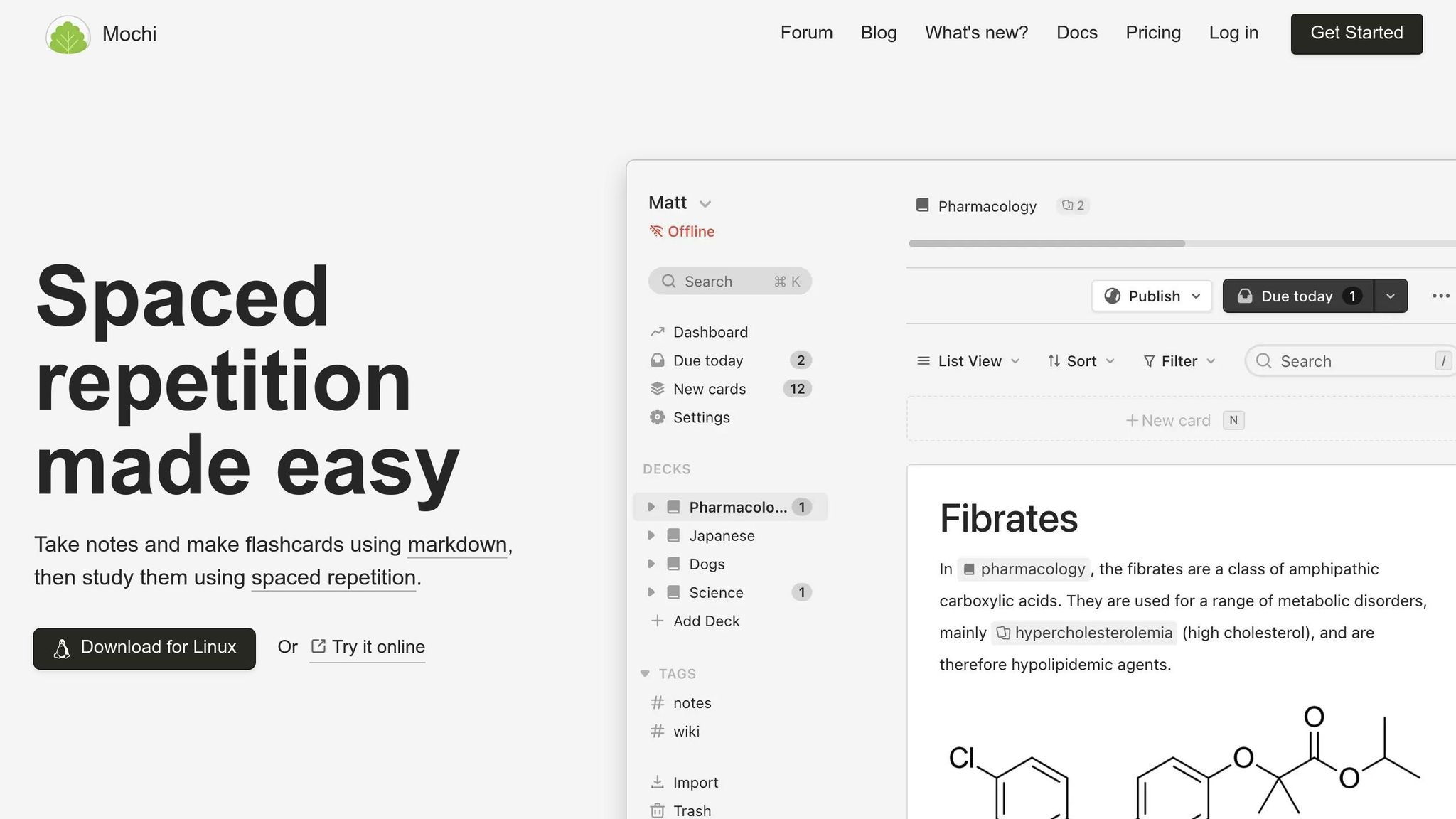
Mochi is a spaced-repetition tool designed for short, focused memorization sessions of 15–30 minutes. In SaaS work, where learning frameworks, database patterns, or on-call procedures is constant, Mochi fits seamlessly into a time-blocked schedule. For instance, a product manager might set aside 8:45 to 9:15 a.m. daily to review flashcards. Mochi avoids the endless scroll typical of learning platforms, keeping sessions finite and distraction-free.
Sutta 423 is built for contemplative study and reflection. Leaders, developers, and engineers might use it for 30–60 minutes weekly to engage in mindful reading and reflection. This isn’t about producing output - it’s about recalibrating for the high-intensity deep work ahead. Studies show that mindfulness and reflection can reduce stress and improve focus, making this kind of time block invaluable. Sutta 423 fosters a calm, reflective environment, perfect for resetting and gaining clarity.
Together, these tools create a ritual stack for deep work. Onsara supports technical reading, Mochi handles memorization, and Sutta 423 encourages reflection. Each tool is purpose-built, ensuring your time blocks are not only scheduled but also protected by the right environment for the task at hand.
The 4 Pillars of Artisan Strategies
Our approach is guided by four principles: Algorithmic Silence, Finite Design, Heirloom Fidelity, and Deep Utility. These principles shape how our tools function, ensuring that time blocks remain focused and free from distractions.
-
Algorithmic Silence ensures our tools avoid engagement-driven features like infinite scroll or gamification. When you use Onsara, Mochi, or Sutta 423, you won’t encounter surprise suggestions or feeds. This helps you maintain control over your attention.
-
Finite Design aligns with the natural boundaries of time blocks. A document ends, a flashcard deck is completed, or a passage is fully read. This structure allows you to finish your session with a clear sense of completion, avoiding any lingering tasks.
-
Heirloom Fidelity prioritizes stability and quality. Clean typography, consistent interfaces, and durable data formats make the tools intuitive and reliable over time. Using them feels like settling into a quiet, familiar space.
-
Deep Utility focuses on features that enhance concentration, like offline functionality, robust keyboard shortcuts, and high-quality annotation tools. By avoiding vanity metrics or social signals, these tools help you dive into a flow state quickly and stay there.
When SaaS teams adopt tools built on these principles, each time block becomes more than just a scheduled task - it transforms into a dedicated space for high-quality, focused work.
Conclusion: Time Blocking as a Path to Focused Growth
Frequent task-switching drains mental energy and chips away at productivity. Studies show that recovering focus after a distraction can take significant time[3]. For teams working on product development, feature rollouts, or solving complex challenges, this constant fragmentation isn't just inconvenient - it’s counterproductive.
Time blocking offers a straightforward way to counteract these interruptions. By assigning specific time slots on your calendar for particular tasks, you create clear boundaries that protect your ability to engage in deep, uninterrupted work. Instead of reacting to every alert or notification, you stick to a structured plan that prioritizes what truly matters. Research suggests that the brain can maintain deep focus for 90–120 minutes before needing a break[6], making these well-defined blocks far more effective than trying to power through endless hours or scattering tasks haphazardly throughout the day.
The advantages are immediate and meaningful. Time blocking reduces decision fatigue[1][2], helps you understand your actual capacity, and prevents overbooking yourself[4]. It also boosts accountability, as every critical task gets a dedicated time slot rather than being left as a vague intention. For SaaS teams, this approach can lead to faster feature rollouts, fewer errors caused by rushed work, and more thoughtful, strategic decisions[2][9].
However, scheduling alone isn't enough if your tools constantly steal your attention. Many modern apps are designed to distract, making it hard to stay focused. Tools built with focus in mind take the opposite approach - they strip away unnecessary noise. They don’t push content on you, gamify interactions, or disrupt your workflow. For instance, when you open Onsara during a 90-minute reading block, you enter a distraction-free digital environment dedicated solely to reading. No feeds, no pop-ups, no interruptions.
By combining time blocking with tools designed to support focus, you create a complete system for deep work. Time blocking sets your priorities and safeguards your schedule, while distraction-free tools ensure that your attention remains intact. Together, they foster the kind of focused, strategic work that leads to meaningful progress - not the frantic multitasking that often results in burnout.
To make the most of this system, schedule deep work during your most productive hours, group shallow tasks into specific time slots, and establish shared focus periods where your entire team can work without interruptions. Opt for tools that respect your time blocks instead of disrupting them. And keep in mind: deep work isn’t just another productivity tip - it’s a deliberate approach to achieving growth. By consistently dedicating time to complex, strategic tasks, you can improve the quality of your work, deliver results faster, and make smarter long-term decisions[7][8][5].
The internet may be noisy, but your calendar doesn’t have to be. When paired with focus-friendly software, time blocking becomes a sustainable way to build better products, make smarter choices, and avoid burnout.
FAQs
::: faq
How can remote SaaS teams in different time zones use time blocking effectively?
To make time blocking work well for remote SaaS teams spread across different time zones, start by establishing core overlapping hours. These are specific times when everyone is available for crucial discussions and teamwork. Beyond these shared hours, encourage team members to block out focused work periods during their peak productivity times.
Leverage asynchronous communication tools and maintain clear, accessible documentation to cut down on the need for constant real-time meetings. This not only minimizes disruptions but also allows team members to dive into deep, uninterrupted work, all while respecting their individual schedules and boosting overall productivity. :::
::: faq
How can I switch from using a traditional to-do list to time blocking for better focus and deep work?
To shift from a traditional to-do list to time blocking, start by pinpointing your most critical tasks and organizing them into dedicated chunks of uninterrupted time on your calendar. Reserve these blocks specifically for deep, focused work, and take steps to minimize distractions. For example, silence notifications or let your team know when you’re unavailable.
Ease into the process by scheduling just one or two focused blocks each day. As you get used to this approach, you can fine-tune it to better suit your workflow. Over time, this strategy helps cut down on context switching and fosters a more structured and productive environment for tackling meaningful tasks. :::
::: faq
How do Onsara, Mochi, and Sutta 423 help with time blocking to improve focus and productivity?
Onsara, Mochi, and Sutta 423 are crafted to help you dive into focused, uninterrupted work by cutting out distractions and promoting intentional habits. They pair seamlessly with time-blocking techniques, giving you the tools to create quiet, dedicated slots for your most important tasks.
Onsara streamlines your workflow by removing unnecessary clutter, letting you concentrate on what truly needs your attention. Mochi offers a serene, distraction-free reading environment, while Sutta 423 encourages mindfulness through its thoughtful design, helping you stay present and productive. Together, these tools empower you to work more deliberately and regain your focus in today’s fast-paced, noisy world. :::
Related reading
- Best ADHD Focus Apps for Mac 2026 (Actually Stay on Task)
- Rituals vs. Processes in SaaS Growth
- Why We Avoid Feature Bloat
- Best Apps for ADHD Task Paralysis (Tested 2026)
- "I Know What I Need to Do But I Can't Start" - The ADHD Freeze Explained
Useful tools & services
Go deeper than any blog post.
The full system behind these articles—frameworks, diagnostics, and playbooks delivered to your inbox.
No spam. Unsubscribe anytime.