Best Apps for ADHD Task Paralysis (Tested 2026)
Apps that help ADHD task paralysis: break work down, start faster, and finish more—tested tools for freeze, overwhelm, and initiation problems.
Struggling to start tasks because of ADHD paralysis? You’re not alone. Pair this with our shortlist of ADHD productivity apps that help you start working. ADHD task paralysis happens when your brain feels overwhelmed by tasks, emotions, or distractions, making it hard to begin or focus. The good news? There are apps designed to help break through that mental block.
Here are 7 apps that simplify decision-making, reduce distractions, and make tasks manageable:
- Onsara: A distraction-free macOS app to help you focus deeply on tasks.
- Lunatask: Combines task management, habit tracking, and journaling to reduce cognitive overload.
- Sunsama: Guides you in creating daily plans that feel achievable.
- Todoist: Organizes tasks into smaller steps with helpful reminders.
- Brili: Breaks routines into clear, step-by-step actions.
- Focus Keeper: Uses the Pomodoro technique to split work into 25-minute focus sessions.
- Forest: Gamifies focus by growing virtual trees while you stay productive.
Each app targets specific ADHD challenges, like task paralysis, time blindness, or focus issues. Experimenting with one or a combination of these tools can help you regain control over your to-do list.
5 Game-Changing Productivity Apps For ADHD
::: @iframe https://www.youtube.com/embed/kzxNGPJROcA :::
1. Onsara
Onsara is a macOS app created by Artisan Strategies to help users cut through digital distractions and stay focused. True to its principle of "only speaking when spoken to", Onsara provides a clean, distraction-free workspace that keeps your tasks front and center. Here’s what makes it stand out:
Focus and Attention Management
Onsara is designed to limit interruptions and eliminate unnecessary alerts, creating a peaceful environment where you can fully concentrate on your work. It’s all about helping you stay focused on what matters most.
Designed with ADHD in Mind
The app’s straightforward design is particularly helpful for users with ADHD. By offering a clear and organized interface, it reduces the chaos of cluttered screens and helps set clear task boundaries, making it easier to manage and complete your work.
Tackling Task Paralysis
Onsara simplifies decision-making by narrowing your focus. Its tools are built to reduce mental strain, making it easier to get started on tasks and maintain your momentum.
2. Lunatask
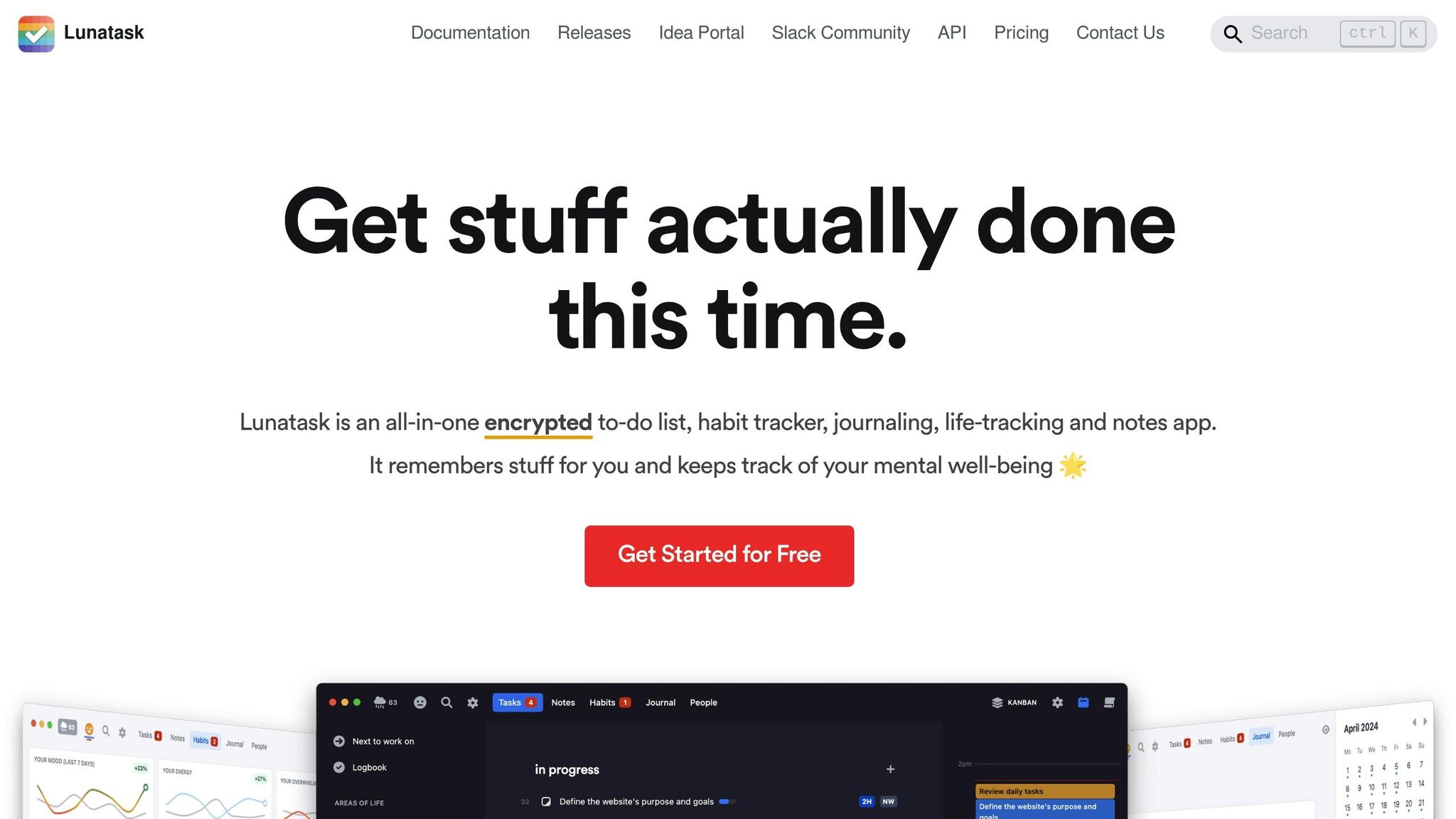
Lunatask combines task management, habit tracking, journaling, life tracking, and note-taking into a single, encrypted app tailored to ADHD users. Its goal? To cut down on context switching, ease cognitive overload, and minimize distractions - all while keeping you organized and on track [11-15].
Task Prioritization and Organization
Lunatask provides three prioritization methods to help you figure out what to tackle first: the Now/Later method, the Must/Should/Want technique, and the Eisenhower Matrix. Plus, its smart, Kanban-style lists automatically adjust priorities based on how long a task has been pending and its importance.
Designed with ADHD Users in Mind
By focusing on one life area at a time, Lunatask helps reduce distractions and makes it easier to capture thoughts quickly. With everything stored in one place, there’s no need to juggle multiple apps to locate an important note or task.
Tackling Task Paralysis
The app’s automatic prioritization takes the guesswork out of deciding where to start. By streamlining features and reducing mental clutter, Lunatask simplifies decision-making and helps you build momentum - making it easier to dive into your to-do list.
3. Sunsama
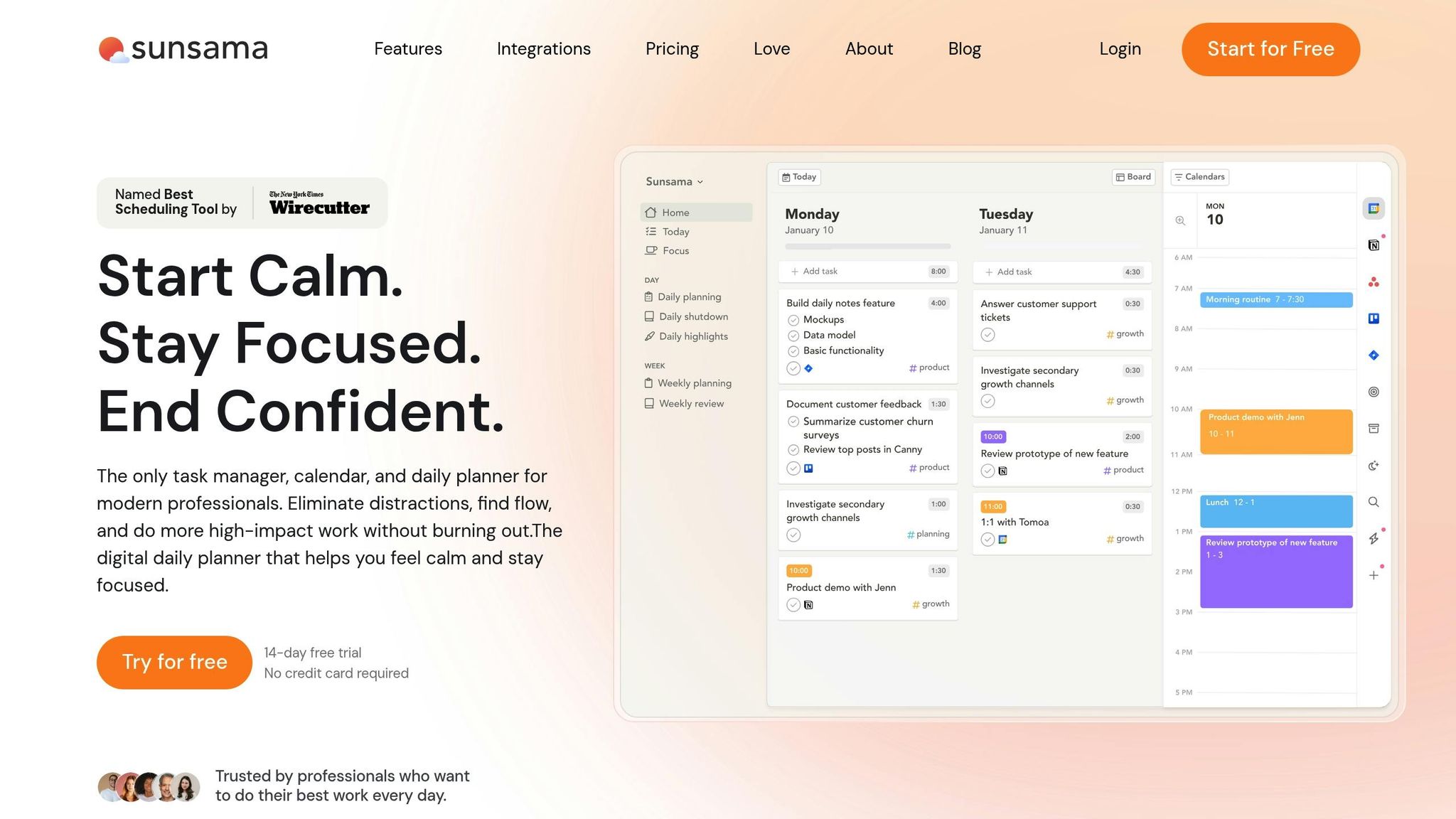
Sunsama is a planning app designed to simplify your daily routine by helping you create a focused agenda every morning. Instead of starting the day with an overwhelming to-do list, Sunsama walks you through a step-by-step process. It begins by reviewing what you accomplished yesterday and then helps you build a realistic plan for today. The app also organizes tasks to make sure your workload stays manageable.
Task Prioritization and Organization
Sunsama’s daily planning flow is all about keeping things realistic and achievable. It helps you sort through overdue tasks, earmarked priorities, and your backlog. You can add time estimates to tasks, ensuring you don’t overcommit. The app also limits how many tasks you schedule, encouraging you to focus on what’s truly important. Tasks can be dragged directly onto your calendar or automatically scheduled based on your availability and priorities.
Focus and Attention Management
Sunsama integrates with tools like Google Calendar, Gmail, Outlook, Asana, Trello, and Slack, bringing everything into one workspace. This reduces the need to constantly switch between apps, which can be a big distraction. By centralizing your tools, Sunsama helps lighten the mental load and makes it easier to stay on track - something especially useful for people who struggle with task paralysis or ADHD. The time-blocking feature is another standout, turning vague timeframes into clear, actionable segments, which can be a game-changer for those dealing with time blindness.
Ease of Use for ADHD Users
If you’re good at estimating how long tasks will take, Sunsama can be a great fit. However, for users with time blindness, the initial setup might feel tricky. The app’s "channel" system for organizing tasks is different from traditional folder layouts, so it might take some getting used to. Sunsama is priced at $20 per month (or $16 per month when billed annually), catering to those who are ready to invest in a tool designed for focused productivity.
4. Todoist
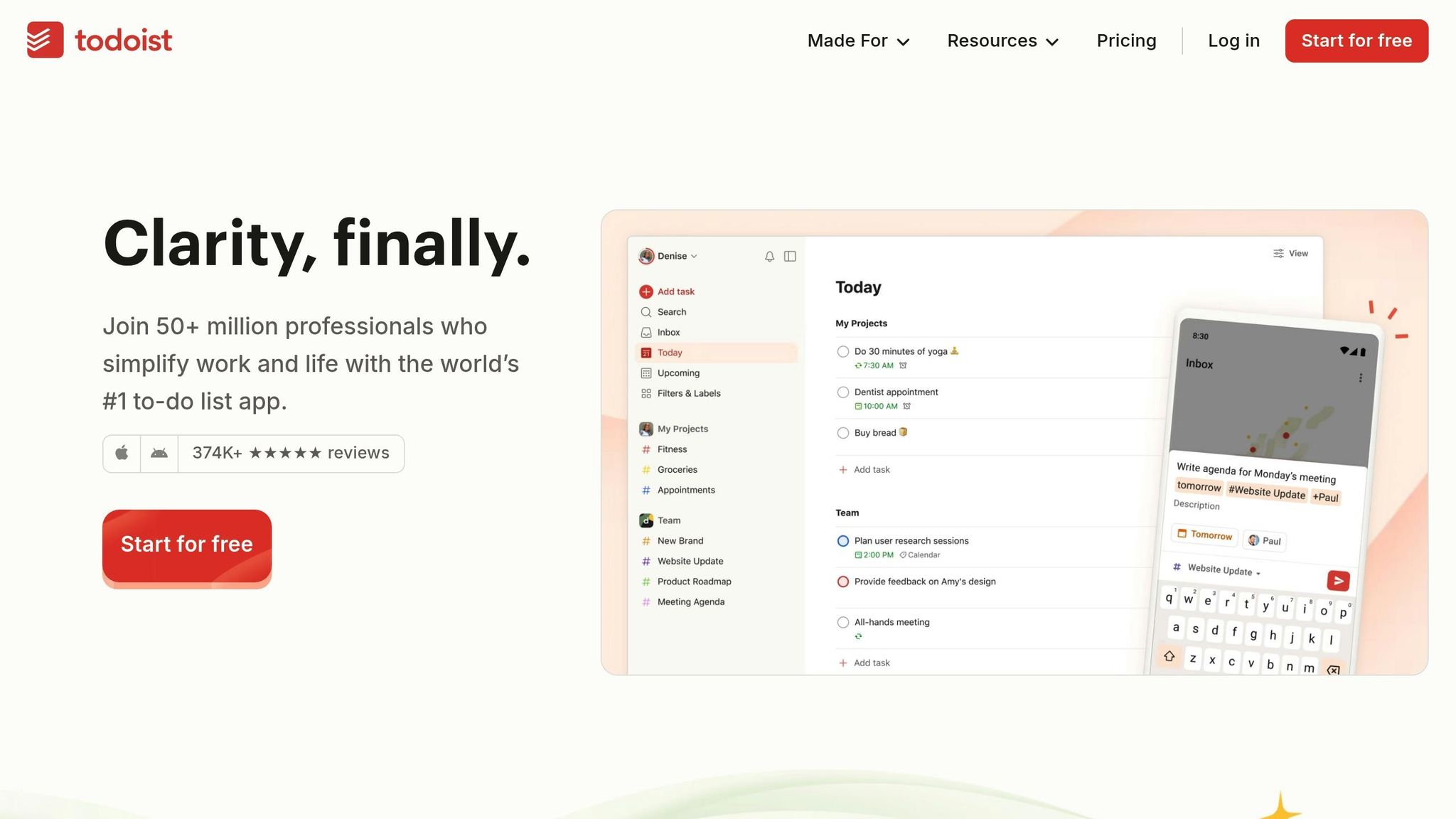
Todoist is a simple yet powerful task management app designed to help you capture, organize, and prioritize everything from daily errands to big projects. For people with ADHD, it offers just the right mix of structure and flexibility, ensuring you stay organized without feeling overwhelmed. Its clean, easy-to-navigate interface keeps you focused on your tasks without getting bogged down by unnecessary features or clutter.
Task Prioritization and Organization
One of Todoist's greatest strengths is its ability to break down overwhelming projects into smaller, manageable subtasks. This approach makes tackling big tasks feel less daunting. You can organize tasks by project, due date, or priority, and if you opt for the Pro version, you can create up to 150 custom filters for even more control.
The app syncs seamlessly across all your devices - whether you're using iOS, Android, Mac, PC, or the web. This means you can jot down tasks the moment they come to mind, whether you're at home, at work, or even waiting in line at the store.
Support for Overcoming Task Paralysis
Todoist makes it easy to capture tasks quickly, helping reduce the mental strain of trying to remember everything. As the Kantoko team puts it:
"Low-friction task entry helps capture thoughts quickly, reducing the load on working memory" [6].
Recurring reminders are another key feature, allowing you to build consistent routines without relying solely on memory. And then there’s the karma points system - a fun, gamified element that rewards you with points for completing tasks. These small wins can make a big difference, especially when you're struggling to get started.
Designed with ADHD Challenges in Mind
The app's straightforward design is a big plus for ADHD users. Dr. Darren O'Reilly from AuDHD Psychiatry highlights how useful the subtask feature can be:
"Subtask features allow you to break down larger projects into smaller, more achievable steps, helping reduce overwhelm" [1].
Although it wasn’t specifically created for ADHD, Todoist’s features align well with common challenges like organization and task initiation. The free version offers 5 personal projects and basic tools to get started. For $4 per month (billed annually at $48), the Pro plan adds helpful extras like reminders, support for up to 300 projects, and an AI assistant to boost productivity.
sbb-itb-0499eb9
5. Brili
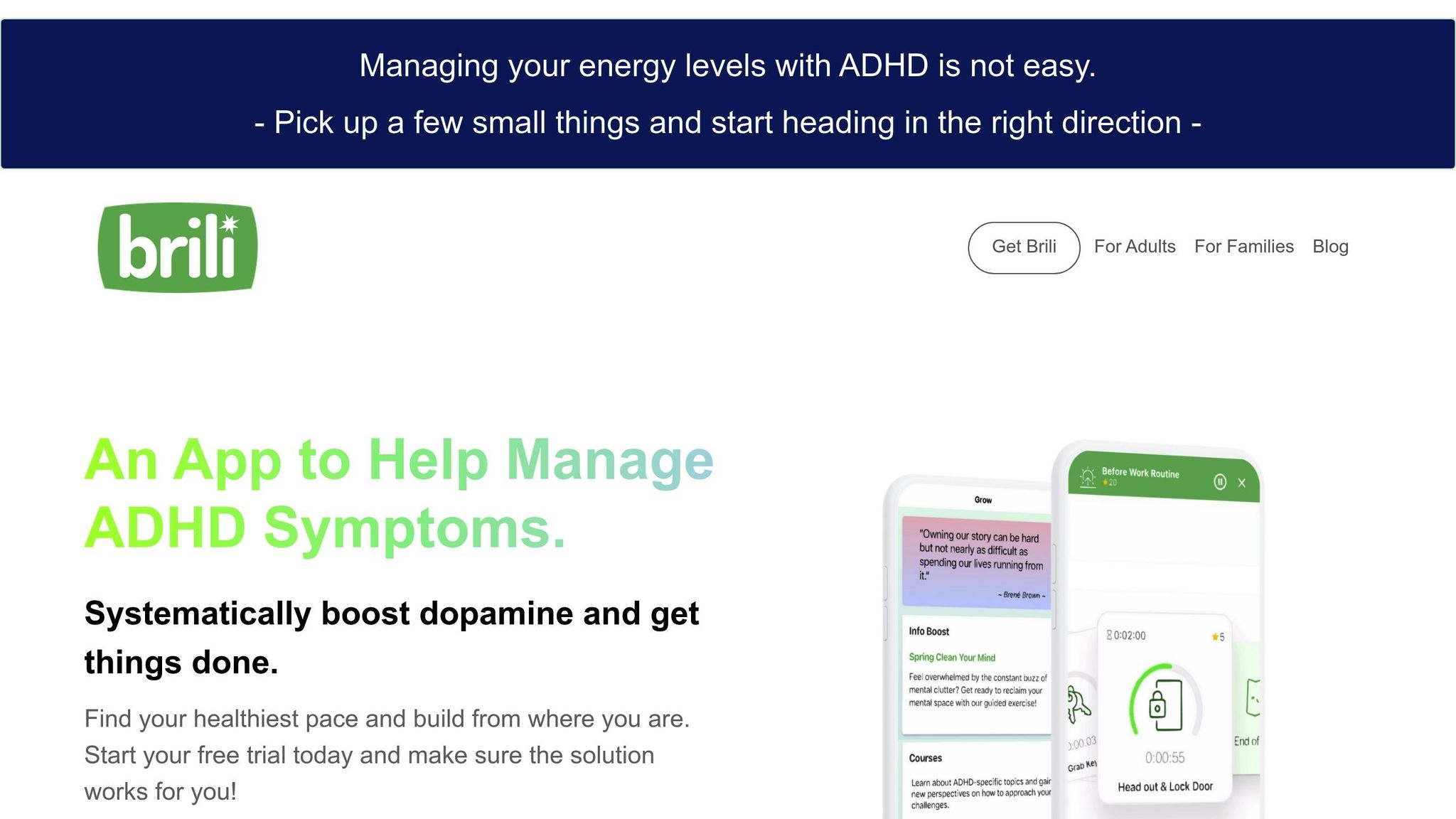
Brili is a routine-building app designed to help users manage daily transitions - like starting the day or winding down at night - that often feel overwhelming. It’s especially helpful for those new to productivity tools, offering a simple, visual way to organize routines. The app aims to reduce decision fatigue while providing structure for everyday tasks.
Task Prioritization and Organization
Brili breaks daunting transitions into small, actionable steps. Instead of tackling an ambiguous task, you’ll see a clear sequence of actions - like showering, dressing, or having breakfast - presented with a visual timeline. This makes it easier to understand how each step fits into your day. The app also includes pre-made and customizable templates tailored for ADHD, which simplifies planning and helps you get started without overthinking.
Designed with ADHD Users in Mind
To cut through mental clutter, Brili features an intuitive interface that’s easy to navigate. Visual schedules allow you to view your routines at a glance, avoiding the hassle of complex menus. Automated reminders help guide you through each step, promoting a sense of independence. Whether you’re a child, teen, or adult, Brili adapts to different needs, making it a versatile tool for various stages of life.
Tackling Task Paralysis
With step-by-step timers and clear prompts, Brili keeps you focused and on track. By breaking larger routines into smaller, manageable pieces, it addresses the sense of overwhelm that often leads to task paralysis. This structured approach ensures you transition smoothly from one activity to the next, easing the mental effort of figuring out what to do next. It’s a practical solution for anyone looking to stay on top of their daily routines.
6. Focus Keeper
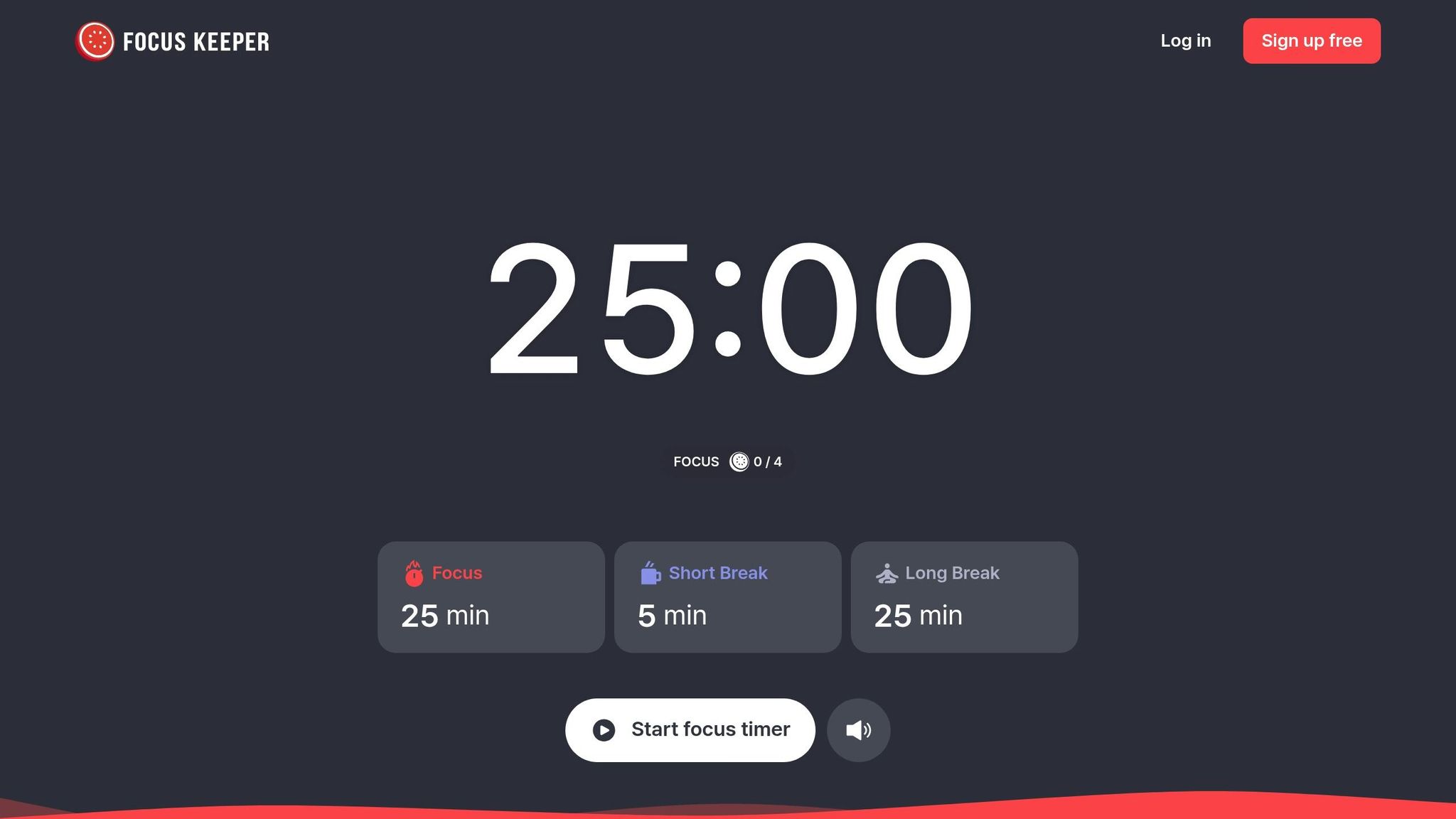
Focus Keeper is a Pomodoro timer app that divides your work into 25-minute sessions, each followed by a short break. It’s designed to help tackle procrastination and keep you productive without feeling overwhelmed. With a stellar 4.8 out of 5-star rating from 31,000 users on the Apple App Store [8], it’s a popular choice for managing ADHD.
Focus and Attention Management
The app sticks to the classic Pomodoro technique - 25 minutes of concentrated work followed by a 5-minute break. This method makes even daunting tasks feel more manageable. You can tweak session lengths, break durations, and the number of focus rounds before a longer break. Plus, the app automatically transitions to the next session, so you stay in the zone. Recent updates include features like app blocking during work sessions, preset timers, and calendar synchronization.
Designed for ADHD Users
Focus Keeper’s clean, distraction-free interface makes it easy to stay on track. The ticking timer serves as a constant reminder of time passing, which is especially helpful for easing time blindness. Built-in productivity charts let you monitor your progress. While the free version is functional (though iOS users can only track three days of activity), upgrading to Pro unlocks extras like adjustable work session lengths, a variety of ticking and alarm sounds, and focus reminders. This setup encourages a natural workflow that reduces the risk of feeling stuck.
Helping with Task Paralysis
Focus Keeper breaks work into smaller, more manageable chunks, which helps reduce the overwhelm that often leads to task paralysis. Regular breaks keep burnout at bay and help refresh your focus, making it easier to dive back in. The combination of visual and auditory cues - like the ticking timer - keeps you anchored in the moment, cutting through mental fog and helping you maintain concentration.
7. Forest
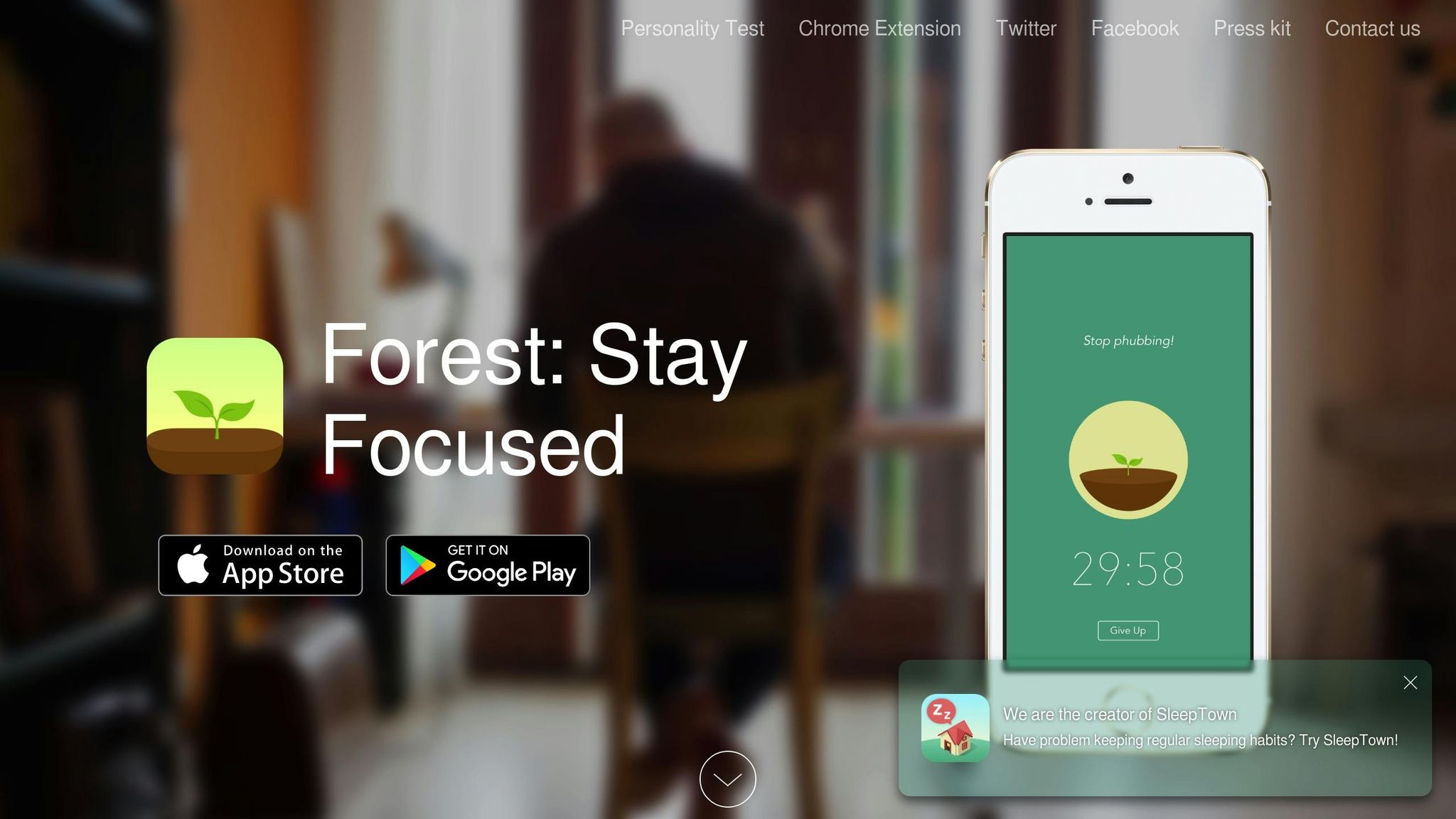
Forest turns focus into a game. You plant a virtual tree that grows while you work, but if you leave the app, your tree withers. This simple yet effective visual reward system encourages you to stay on task. With a 4.8 out of 5-star rating on the App Store from 42,800 reviews and 4.6 stars on Google Play from 703,000 reviews, Forest has clearly struck a chord with users [2]. Let’s break down how its design helps tackle focus challenges and task paralysis.
Focus and Attention Management
One of the biggest struggles for people with ADHD is maintaining motivation, and Forest’s gamified approach provides a clever solution. Instead of relying solely on willpower, the app makes you want to succeed by appealing to your desire to grow a lush digital forest. As noted by getinflow.io:
"This app is one of the best apps for ADHD specifically because it externalizes the motivation to stay on task. The desire to build a lush, digital forest becomes a powerful stand-in for executive functions that might otherwise waver" [3].
Forest also syncs across devices, letting you block distracting websites on your computer through its browser extension while your tree continues to grow on your phone [3].
Ease of Use and Overcoming Task Paralysis
Forest’s straightforward design makes it easy to get started, which is a big deal when executive function is low. All you do is tap to plant a tree, and you’re off. Watching your forest grow provides a clear sense of progress, which can help you overcome the inertia of starting a task. User Alexander Keeler shared his experience:
"This app changed my life - planting a tree keeps me off my phone and focused" [2].
The app’s instant start feature removes decision-making hurdles, and seeing your progress unfold can spark momentum. Plus, as you earn virtual coins, you can contribute to real-world reforestation efforts by planting actual trees. At just $3.99 for iOS (free for Android users), Forest offers an affordable and meaningful way to improve focus while supporting global sustainability [2].
App Comparison Table
::: @figure 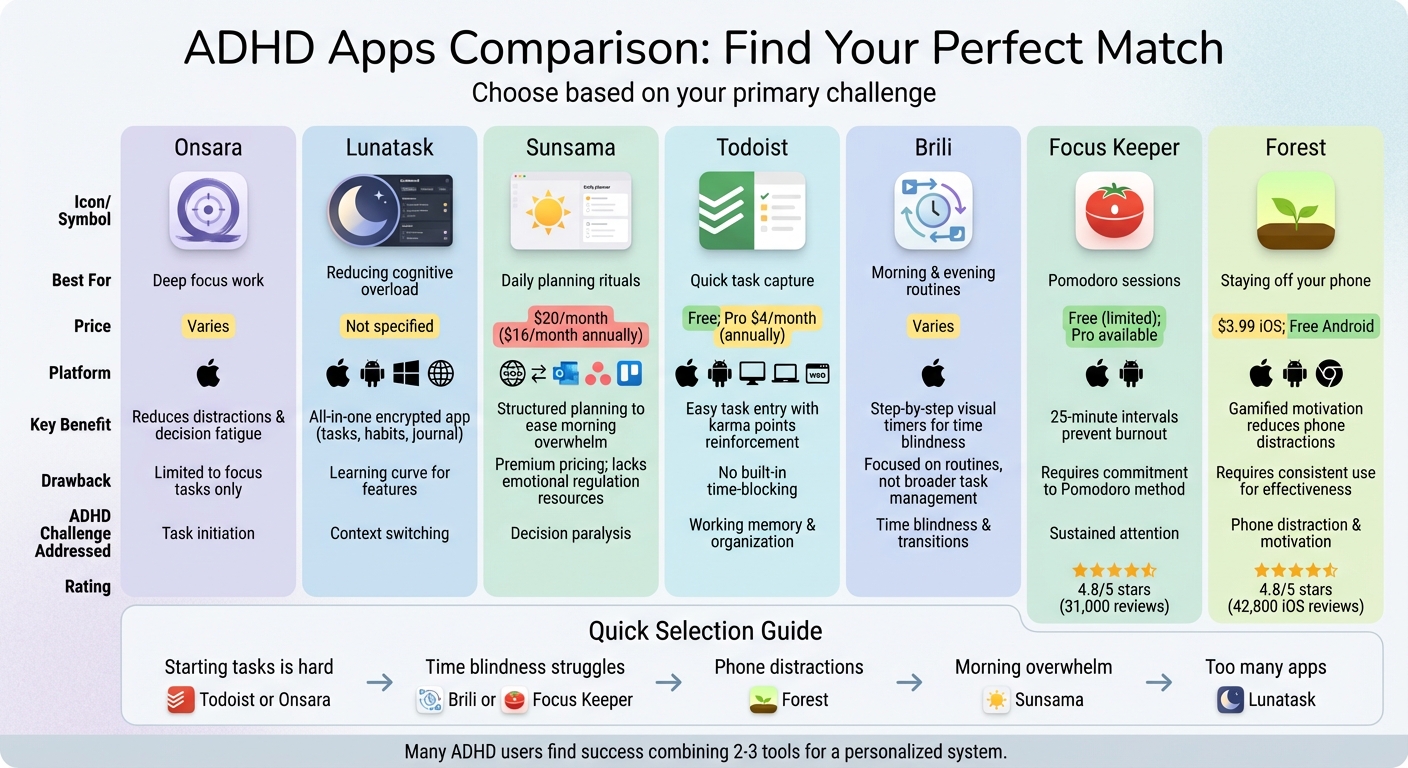 :::
:::
Choose an app that addresses your primary ADHD challenge. Here's a quick comparison of some popular options, highlighting their strengths and drawbacks.
| App | Best For | Price | Platform | Key ADHD Benefit | Main Drawback |
|---|---|---|---|---|---|
| Onsara | Deep focus work | Varies | macOS | Simplistic design that reduces distractions and decision fatigue [website] | Limited to focus tasks; not ideal for general task management |
| Sunsama | Daily planning rituals | Premium pricing | Web (integrates with Gmail, Outlook, Asana, Trello) | Structured planning to ease morning overwhelm [3] | Pricey; lacks ADHD-specific resources for emotional regulation [3] |
| Todoist | Quick task capture | Free; Premium $4/month (billed annually) | iOS, Android, Mac, PC, Web | Easy task entry with positive reinforcement via karma points [5][6] | No built-in time-blocking feature [9] |
| Brili | Morning and evening routines | Varies | iOS | Step-by-step visual timers that address time blindness [1][3] | Focused on routines rather than broader task management [3] |
| Focus Keeper | Pomodoro sessions | Varies | Not specified | 25-minute intervals to prevent burnout during long work periods [1] | - |
| Forest | Staying off your phone | $3.99 on iOS; Free on Android | iOS, Android, Web extension | Gamified motivation to reduce phone distractions [3] | - |
The takeaway: If starting tasks feels like a hurdle, apps like Todoist or Onsara can help ease that initial step. For managing time blindness, Brili or Focus Keeper make time more tangible, while Forest uses gamification to curb phone distractions. On the other hand, Sunsama's guided planning can help you overcome decision paralysis at the start of your day. Many people with ADHD find that combining two or three of these tools creates the most effective system [3].
Conclusion
Finding the right app to tackle ADHD task paralysis is all about identifying what fits your specific needs - there’s no universal solution. As we’ve seen, managing task paralysis often requires a tailored approach supported by the right tools. These apps shine in different ways, whether it’s breaking tasks into manageable chunks, using gamification to keep you engaged, or offering structured planning to stay on track.
For those who need a clean slate to dive into deep work, Onsara stands out with its minimalist design that reduces decision fatigue and creates a distraction-free environment. Every app has its own strengths, offering something unique to help you focus and stay productive.
Try experimenting with one or two apps for a couple of weeks to see which features genuinely improve your workflow. Many people find success by building a system that combines the best elements of different tools[4][7]. With the right mix, you can move past task paralysis and take charge of your day.
FAQs
::: faq
How can apps help manage ADHD task paralysis?
Apps tailored for ADHD can make a big difference when it comes to tackling task paralysis. They simplify and organize tasks, breaking down overwhelming projects into smaller, more doable steps. Many of these apps also include visual timers to help you stay focused and custom reminders to keep you on track.
Some stand-out features include personalized routines, alerts for transitioning between tasks, and visual timelines that make schedules easier to follow. By transforming daunting goals into bite-sized actions, these tools can help you build momentum and take charge of your productivity. :::
::: faq
Are any of the recommended apps free to use?
Yes, a few of the suggested apps won’t cost you a dime. For instance, Human Health and Apple Reminders provide useful features completely free. These options are excellent for tackling ADHD task paralysis without spending any money upfront. :::
::: faq
Can I use multiple apps together to better manage ADHD task paralysis?
Combining apps can be a game-changer when it comes to managing ADHD task paralysis. Different apps often target specific needs - like time management, staying focused, or getting organized. By using them together, you can create a personalized system that addresses multiple challenges at once.
Try experimenting with a few combinations to see what clicks for you. For instance, pairing a task prioritization app with a focus timer can help you stay organized and avoid that overwhelming feeling. The trick is finding tools that work well together and fit naturally into your daily routine. :::
Related reading
- "I Know What I Need to Do But I Can't Start" - The ADHD Freeze Explained
- 7 Best ADHD Productivity Apps to Beat Task Paralysis (2026)
- The ADHD Brain Dump Method That Actually Gets You Unstuck
- ADHD Decision Paralysis: How to Pick What to Do Right Now
- 5 Apps for Reading Buddhist Scripture Daily
Useful tools & services
Go deeper than any blog post.
The full system behind these articles—frameworks, diagnostics, and playbooks delivered to your inbox.
No spam. Unsubscribe anytime.