7 Best ADHD Productivity Apps to Beat Task Paralysis (2026)
The best ADHD productivity apps for task paralysis, time blindness, and getting started—7 tools tested for focus, routines, and actual work output.
For the psychology behind freeze-and-stall, read ADHD task paralysis: why you can't start.
Getting started on tasks can feel impossible when you have ADHD. These seven apps are designed to tackle common challenges - like task paralysis, distractions, and time blindness - so you can finally get moving. Each app focuses on specific ADHD struggles, from breaking down overwhelming tasks to creating visual schedules and reducing mental clutter. Here’s a quick overview:
-
Onsara: A distraction-free focus app with a minimalist design to keep you on task.
-
Goblin.tools: Breaks big tasks into smaller, manageable steps with tools like Magic ToDo and a time estimator.
-
Todoist: Organizes tasks effortlessly with natural language input and project breakdowns.
-
Fluidwave: Combines AI and human assistance to prioritize tasks and reduce overwhelm.
-
Lunatask: Filters and organizes tasks by category while integrating mood tracking.
-
Tiimo: A visual planner with color-coded schedules to manage time and routines.
-
Forest: A gamified focus timer that keeps you off your phone and rewards your concentration.
Quick Tip: Start with one free app that addresses your main hurdle (like Goblin.tools for task paralysis). Combine tools as needed to create a system that works for you.
5 productivity tools that actually work for ADHD
::: @iframe https://www.youtube.com/embed/2Ayl7LCkAbU :::
1. Onsara
Onsara is a macOS focus app designed around a straightforward idea: strip away the unnecessary. Unlike many productivity tools that overwhelm users with endless features, Onsara keeps things simple. It offers a clean, distraction-free workspace where your attention stays exactly where it needs to be - on your work.
Key Features to Help You Get Started
Onsara is all about making it easy to dive into your work. It cuts through the noise by activating only when you engage with it, avoiding the clutter that can bog down other apps. This simplicity removes the usual obstacles to getting started, keeping your focus sharp and your workflow smooth.
A Design That Keeps Things Simple
The app’s interface is thoughtfully designed, offering a warm and inviting aesthetic that feels more human and less clinical compared to many other productivity tools. This approach not only reduces feelings of overwhelm but also creates a space that encourages you to start working right away.
Onsara also introduces structured sessions. Each task is clearly defined, with a beginning and an end, giving you a sense of accomplishment rather than leaving you staring at an endless to-do list.
Built for Focused Task Management
Onsara’s sole purpose is to help you concentrate on the task in front of you. By removing unnecessary features and keeping the experience streamlined, it eliminates decision fatigue and helps you hit the ground running.
With its minimalist design and targeted features, Onsara ensures you can focus on what matters most and get to work without delay.
2. Goblin.tools
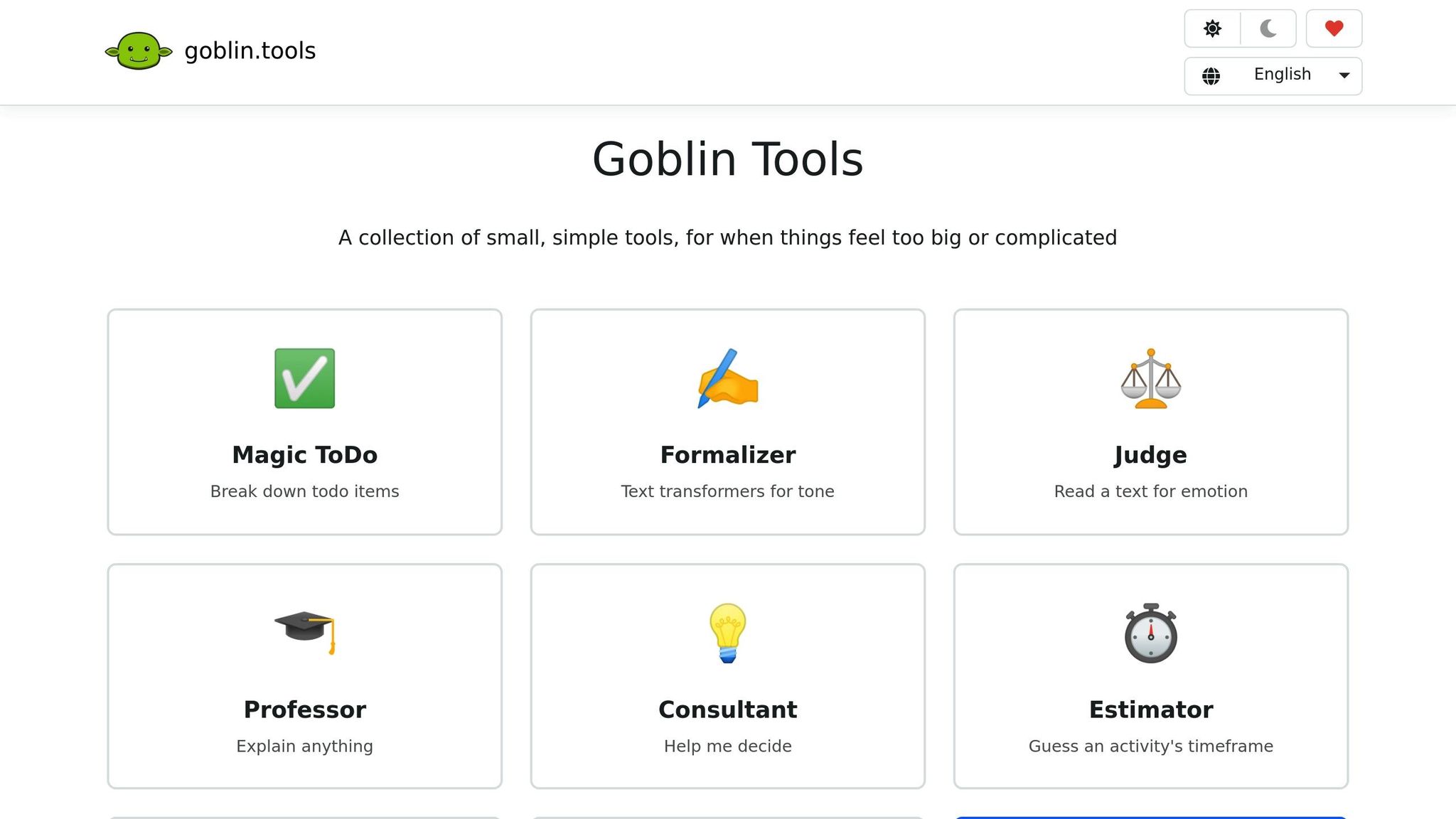
Goblin.tools offers a refreshing way to tackle productivity by focusing on breaking tasks into smaller, more manageable steps. The idea is simple: when a task feels too big or overwhelming, you break it down into pieces you can actually handle. This approach ties directly into a range of features tailored for ADHD, making it easier to get started on tasks.
ADHD-Specific Features for Starting Work
One standout feature is Magic ToDo, designed to turn daunting tasks into bite-sized actions. For example, if you type in "clean the kitchen", the tool breaks it down into steps like clearing the counters, loading the dishwasher, wiping surfaces, and sweeping the floor. It’s perfect for overcoming that common ADHD challenge of not knowing where to begin.
Another helpful tool is the Estimator, which addresses time blindness - a frequent struggle for many. It helps you estimate how long a task might actually take, reducing the anxiety and hesitation that come with inaccurate time predictions.
For those moments when your thoughts are all over the place, the Compiler tool steps in. It takes your chaotic brain dumps - those jumbled streams of ideas - and organizes them into actionable steps. This feature directly tackles the executive function difficulties that make organizing thoughts feel like an impossible task.
Task Prioritization and Breakdown
What sets Goblin.tools apart is its ability to break down tasks without adding unnecessary complexity. Magic ToDo splits tasks into logical, sequential steps, removing the mental strain of figuring out both what to do and how to do it.
Accessibility is another strong point. The platform’s web version is free, while mobile apps for Android and iOS are available for purchase. This ensures you can use these tools wherever you are - whether you’re at your desk or trying to plan your day on the go.
Simple Design to Reduce Overwhelm
The platform’s design philosophy centers on simplicity, making it easier to overcome that initial inertia. Each tool is focused on doing one thing well, avoiding the clutter and feature overload that can make other productivity apps feel like just another chore. The interface is intuitive and doesn’t demand extra effort - you simply use what you need, when you need it.
Additional tools like Formalizer, Judge, and Professor further enhance your workflow by addressing smaller, secondary challenges, keeping the entire experience streamlined and approachable.
3. Todoist
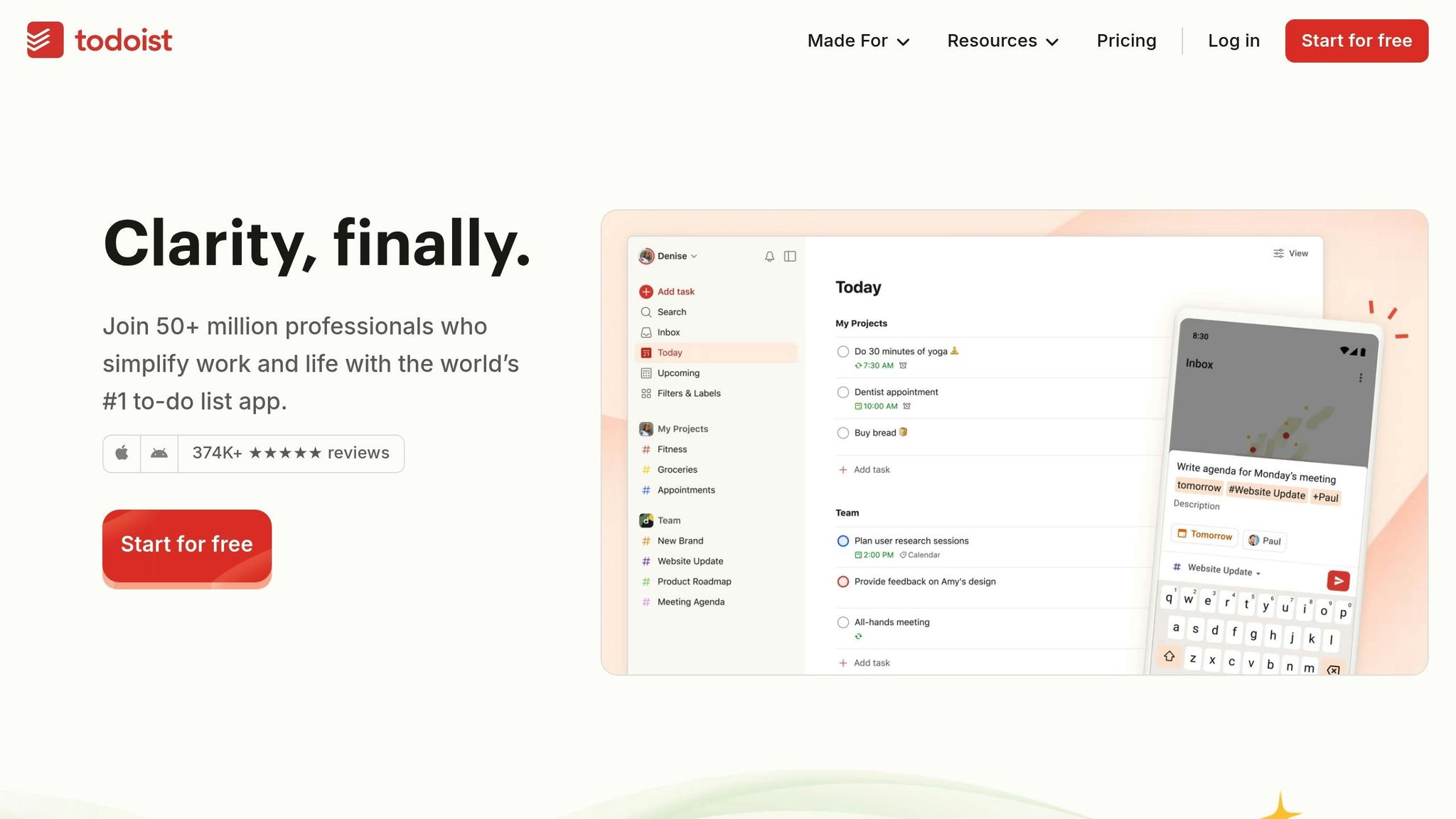
Todoist provides a simple and efficient task management system that works well for individuals with ADHD. Its design emphasizes quick task capture and easy organization, making it a practical tool for staying on top of daily responsibilities.
ADHD-Friendly Features for Starting Work
One of Todoist's standout features is its natural language input. For instance, typing something like "Call dentist tomorrow at 2pm" will automatically create a task with the correct date and time. This makes adding tasks fast and intuitive, reducing the risk of forgetting important details.
The app also acts as a central hub for organizing your day by gathering "everything I HAVE to do TODAY" in one place [1]. This approach simplifies task management and sets the groundwork for tackling projects with clarity.
Breaking Down Tasks and Setting Priorities
Todoist allows users to break larger projects into smaller, actionable steps. For example, a project like "Organize Home Office" can be divided into subtasks, such as "Sort paperwork" and "Label storage bins" [2]. This breakdown makes overwhelming tasks feel more achievable.
Premium Benefits
For those looking to enhance their productivity, Todoist Premium offers extra features like productivity tracking, location-based reminders, calendar syncing, and the ability to create tasks directly from emails. These tools help streamline workflows and keep everything running smoothly [2].
4. Fluidwave
Fluidwave blends AI tools with human assistance to help tackle the unique challenges of managing ADHD. It understands that the real hurdle often isn’t just organizing tasks - it’s finding the motivation to start. With this in mind, Fluidwave offers practical solutions for executive dysfunction.
ADHD-Specific Features to Kickstart Tasks
Starting a task when motivation is low can feel impossible. That’s why Fluidwave offers a pay-per-task delegation feature, allowing you to assign tasks to human virtual assistants. This way, you can hand off overwhelming responsibilities without needing a full-time assistant. On top of that, an AI-powered auto-prioritization tool is in development. This tool aims to combat analysis paralysis by helping you decide which task to tackle first. Together, these features make it easier to get moving, even when you're feeling stuck.
Flexible Task Management and Organization
Fluidwave’s multi-view system lets you organize tasks in a way that works best for you. Whether you prefer Kanban boards, calendar layouts, or traditional task lists, you can choose the format that matches your focus and workflow.
Designed to Ease Overwhelm
Feeling overwhelmed by a packed schedule? Fluidwave’s design makes it simple to switch between views - like moving from a cluttered calendar to a clean, straightforward list. This flexibility helps reduce stress and keeps you focused on making progress.
Every feature is thoughtfully crafted to address common ADHD struggles and make daily life more manageable [3].
sbb-itb-0499eb9
5. Lunatask
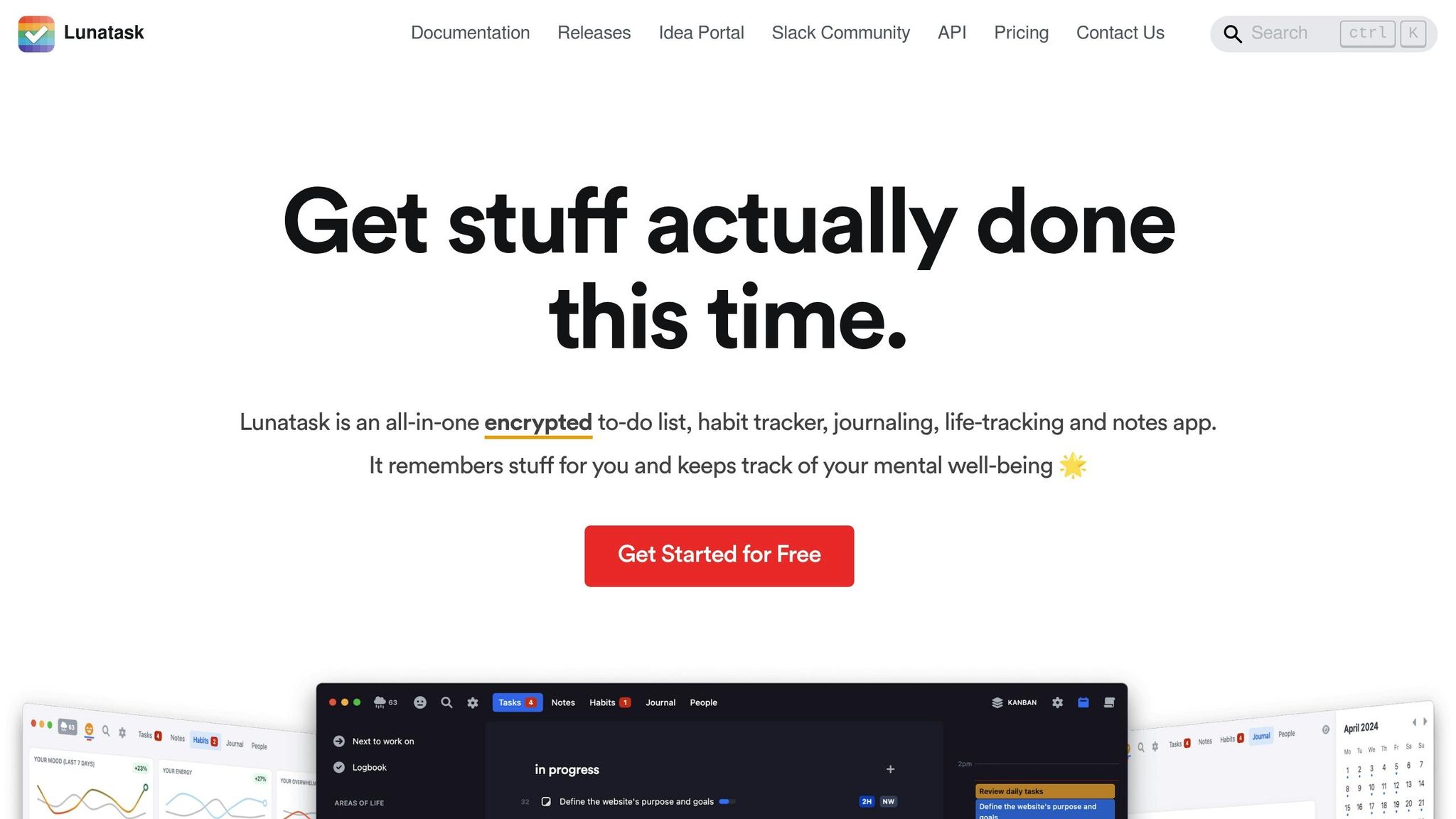
Lunatask helps tackle ADHD-related decision fatigue by automatically organizing and prioritizing tasks, ensuring you stay on top of things without feeling overwhelmed [4][5].
Features Tailored for Easier Task Management
One standout feature of Lunatask is its ability to filter tasks by category. Instead of bombarding you with everything on your to-do list, it allows you to focus on specific areas like work, personal projects, or other categories. This targeted view reduces mental clutter, making it easier to dive into tasks without hesitation.
Lunatask acts as an external brain by capturing your thoughts and sorting them effectively. By organizing tasks based on priority and context, it eliminates the guesswork and provides a clear direction, helping you move past analysis paralysis and take action.
A Calming Interface to Reduce Overwhelm
To complement its organization tools, Lunatask features a clean, straightforward interface designed to minimize distractions. Its simple layout creates a calm, focused workspace, helping you approach tasks with confidence and clarity.
6. Tiimo
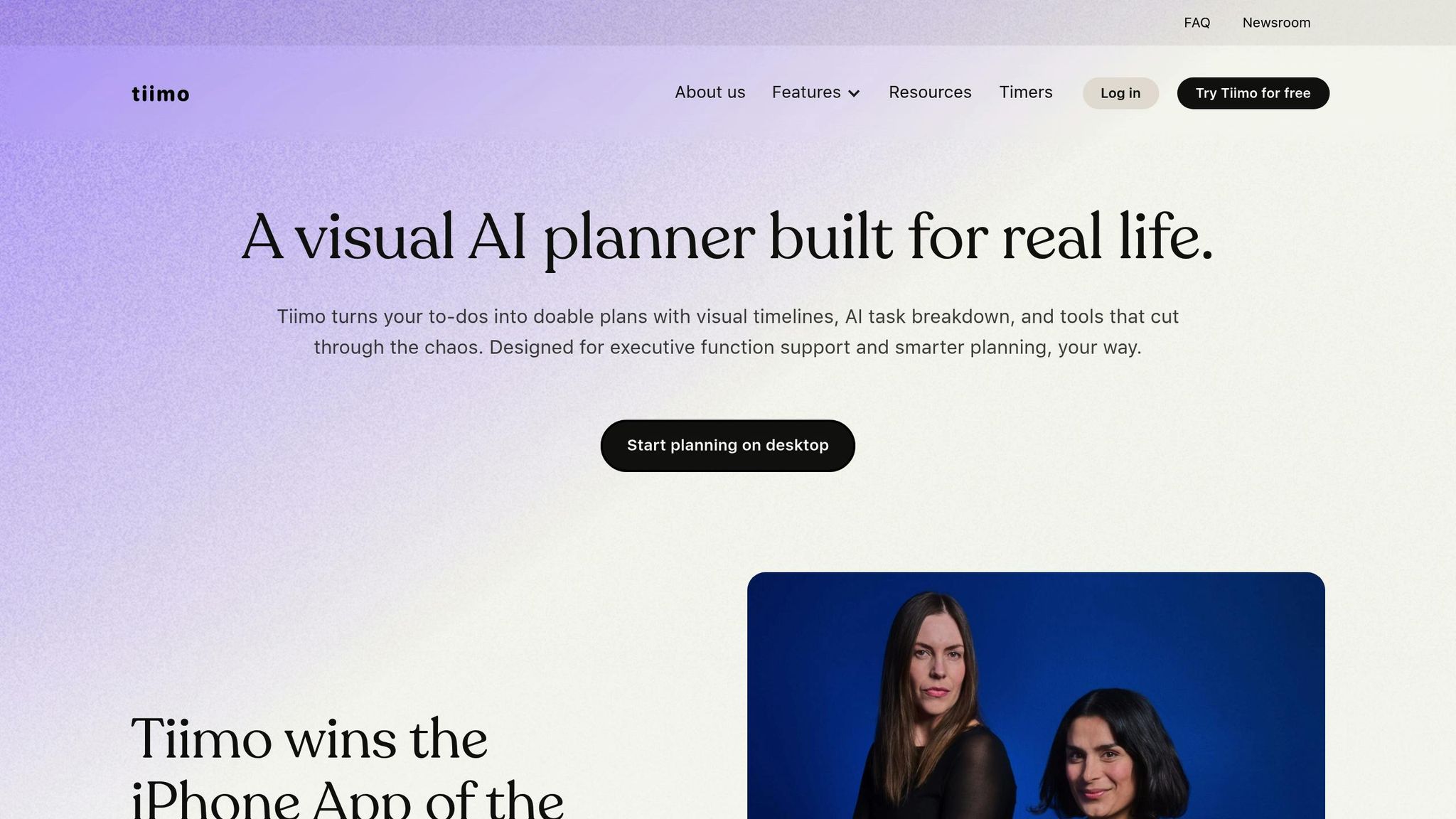
Tiimo is a visual planning tool designed specifically for neurodivergent individuals, with a strong focus on helping those with ADHD. Its goal is to ease the challenges of starting tasks by turning vague to-do lists into clear, actionable plans. Instead of overwhelming you with a long list of tasks, Tiimo focuses on making time feel more concrete and approachable, helping you transition from planning to doing seamlessly [6].
Features Tailored for ADHD
Tiimo addresses common executive function struggles by breaking down abstract tasks into visual schedules. These schedules clearly outline what needs to be done, when to do it, and how to proceed. This eliminates the stress of decision-making and avoids the frustration of staring at a blank to-do list. With Tiimo, you're guided step-by-step, so you can move from one task to the next without feeling paralyzed by choices.
Visual Design That Simplifies Time Management
Built with neurodivergent users in mind, Tiimo uses color-coded timelines, icons, and customizable layouts to create a visual system that’s easy to understand. With over 3,000 color options, users can personalize their schedules to suit their preferences. This visual approach turns time into something you can see and grasp, reducing mental strain and making it easier to stick to your plans [6] [7] [8] [9]. By presenting schedules in a way that’s intuitive and less overwhelming, Tiimo promotes consistent use, which is key to building productive habits.
Gamification for Motivation
To keep users engaged and motivated, Tiimo incorporates gamification elements like confetti, cheerful sounds, and achievement icons. These small rewards provide much-needed dopamine boosts, which help counter the tendency to overlook accomplishments and focus solely on unfinished tasks. The app’s customization options also act as motivational tools, creating a positive environment where starting work feels less daunting and more like a natural, enjoyable process [6] [9] [10].
7. Forest
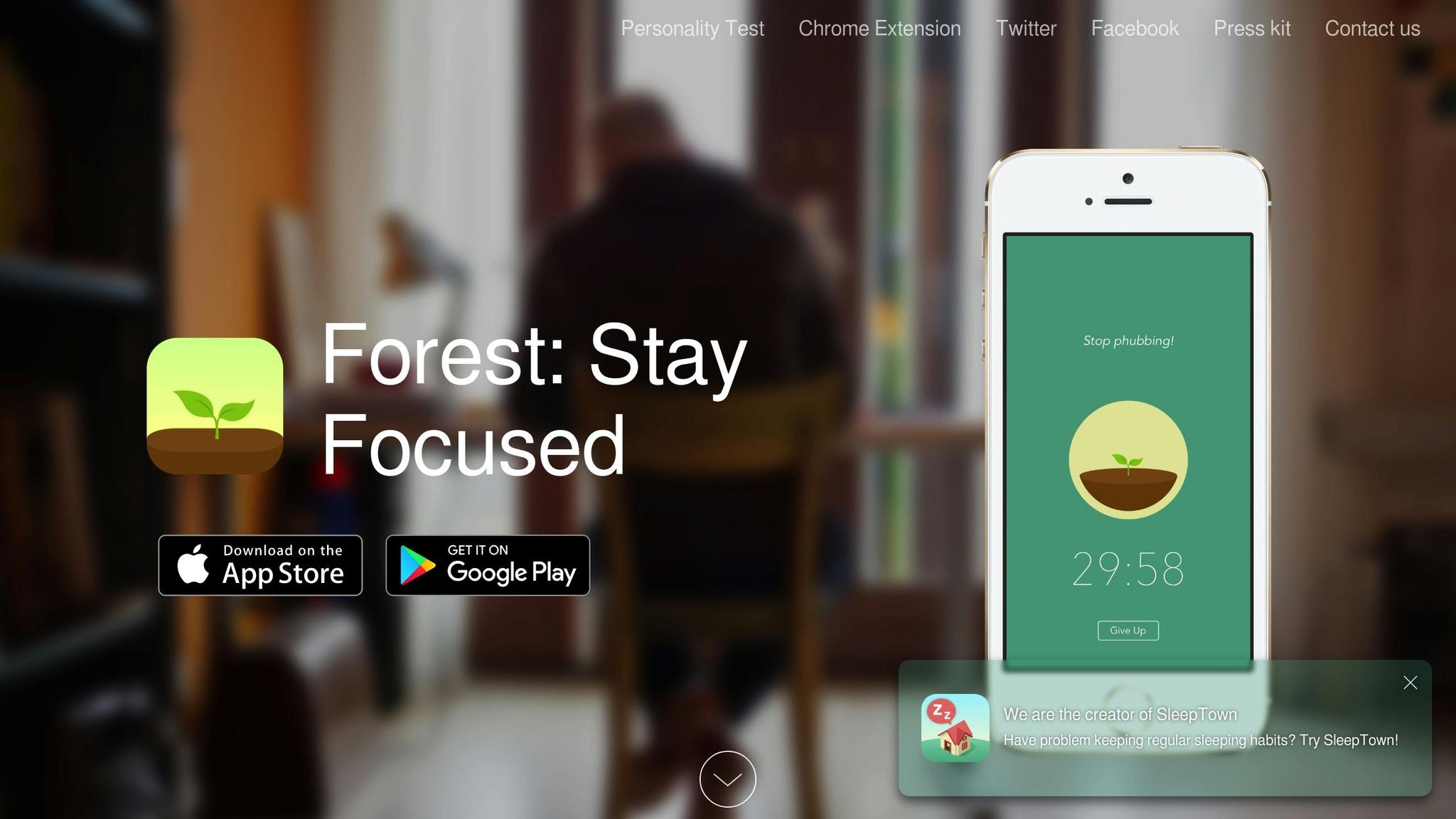
Forest turns staying focused into a game - every moment you concentrate helps grow a virtual tree. With a one-time cost of around $2–$4, it tackles common ADHD struggles, like resisting the urge to check your phone when you're trying to get started on work [11].
ADHD-Specific Features for Starting Work
Using Forest is simple: set a focus timer, plant a seed, and watch it grow - as long as you stay in the app. Leave before the timer finishes, and your tree withers instantly. This immediate feedback helps combat the ADHD tendency to jump between tasks and chase quick dopamine hits. For added flexibility, the app includes a whitelist feature, allowing you to use essential tools like calendars or work apps during your focus sessions. This makes Forest practical for day-to-day productivity [3].
Visual or Emotional Design for Reducing Overwhelm
Forest takes the abstract concept of focus and brings it to life visually. A thriving tree represents your concentration, while a dead tree highlights moments of distraction. Over time, these trees form a digital forest - a satisfying and tangible reminder of your productivity. To add even more motivation, the virtual coins you earn during focus sessions can be used to plant real trees through partnerships with organizations like Trees for the Future. This mix of visual progress and real-world impact makes staying focused feel rewarding [12].
Gamification or Motivation Tools
Forest keeps you engaged with its gamified approach. You can earn coins for in-app customizations or contribute to real-world tree planting. The "Plant Together" feature adds a layer of accountability - link focus sessions with friends, and if anyone gets distracted and leaves the app, all the trees in that session die. It’s an effective way to encourage everyone to stay on task [11].
App Comparison Table
If you're looking for tools to tackle ADHD challenges like breaking down tasks, managing time, or staying off your phone, this table can help you decide which app suits your needs best.
| App | Pricing (USD) | Best For | Key ADHD Feature | Starting Work Challenge It Solves |
|---|---|---|---|---|
| Onsara | Free | Deep focus sessions without interruptions | Algorithmic silence - no notifications, feeds, or distractions | Cuts through mental clutter and digital noise to help you focus |
| Goblin.tools | Free | Breaking down overwhelming tasks | Magic ToDo feature that breaks big projects into smaller, manageable steps | Overcomes task paralysis by making the first step clear and doable |
| Todoist | Free (Basic), $4/month (Pro) | Managing multiple projects with deadlines | Natural language input and visual organization | Simplifies task capture so you can start working instead of over-planning |
| Fluidwave | Free (core features) | Visual thinkers needing flexible planning | Infinite canvas for mind mapping and task organization | Helps you see the big picture and find a starting point when things feel scattered |
| Lunatask | $4.99/month | Adding emotional context to tasks | Mood tracking integrated with task management | Tackles emotional barriers that make starting tasks difficult on tough days |
| Tiimo | Free (Basic), $9.99/month (Premium) | Time blindness and routine building | Visual schedules with color-coded time blocks | Makes time feel more concrete, showing when to start and how long tasks take |
| Forest | $2–$4 (one-time) | Avoiding phone distractions during work | Visual feedback when you leave the app | Encourages accountability by keeping you present and away from distractions |
These apps can be grouped into three main categories: structure providers (Onsara, Forest, Tiimo), planning aids (Goblin.tools, Todoist), and emotional support tools (Fluidwave, Lunatask). Each focuses on specific ADHD challenges to help you get started.
For less than $10/month, you can create a productivity system by combining free versions of Onsara, Goblin.tools, and Todoist with Forest's affordable one-time purchase. If you’re looking for more advanced features, Lunatask ($4.99/month) or Tiimo Premium ($9.99/month) are excellent options.
Choose your tools based on your primary challenge: Forest is great for tackling phone distractions, Goblin.tools simplifies overwhelming projects, and Tiimo helps with time management. Many users find success by combining two or three apps to build a personalized support system.
Conclusion
Getting started is often the hardest part of staying productive - especially for those with ADHD. The seven apps mentioned earlier are designed to tackle common hurdles, from breaking down tasks into manageable steps to minimizing digital distractions.
Think about how these tools can make daunting tasks feel doable. For instance, if you struggle with organizing your to-do list, choose an app that simplifies complex ideas into clear, actionable steps. On the other hand, if constant notifications and distractions are your downfall, opt for a tool that creates a focused, distraction-free workspace.
Each app addresses a specific challenge, but together they can create a well-rounded system to support your productivity. Start small - pick one free app that directly addresses your biggest obstacle. As you gain momentum, you can gradually add more tools to build a system that works perfectly for your needs.
FAQs
::: faq
How can I choose the right ADHD productivity app for my needs?
When searching for the right ADHD productivity app, prioritize features like simplicity, customization, and a clean, distraction-free interface. The best app will cater to your specific needs, whether that's staying on top of tasks, planning your day, or establishing new habits.
Think about how the app fits with your personal style and the ways ADHD affects you. For instance, if staying organized feels overwhelming, look for an app with straightforward task management tools. If staying motivated is tough, an app with gamification elements or reward systems could help keep you on track. :::
::: faq
Can I use multiple ADHD productivity apps together, and how can I make them work as a system?
Yes, combining several ADHD productivity apps can help you build a system tailored to your unique needs. By leveraging the strengths of different tools, you can tackle productivity challenges more efficiently.
For instance, you might use a task management app to keep track of your to-dos while pairing it with a focus tool, like a Pomodoro timer, to stay on track and avoid distractions. You could also designate one app as your central hub for organizing tasks and notes, simplifying your workflow. Try experimenting with various app combinations to find the mix that aligns best with your goals and routines. :::
::: faq
How do structure providers, planning aids, and emotional support tools in these apps address specific ADHD challenges?
Apps designed for ADHD challenges focus on three main areas: structure, planning, and emotional support. Structure-focused tools help users build routines and systems, making it easier to stay on top of tasks and manage their time. Planning tools break tasks into smaller, actionable steps, set reminders, and prioritize goals to avoid feeling overwhelmed. Emotional support features, on the other hand, provide things like positive feedback, mindfulness practices, or stress-management techniques to boost motivation and ease anxiety.
By blending these features, these apps address the specific needs of individuals with ADHD, helping them stay organized, productive, and emotionally steady. :::
Related reading
- Best Apps for ADHD Task Paralysis (Tested 2026)
- "I Know What I Need to Do But I Can't Start" - The ADHD Freeze Explained
- The ADHD Brain Dump Method That Actually Gets You Unstuck
- ADHD Decision Paralysis: How to Pick What to Do Right Now
- 5 Apps for Reading Buddhist Scripture Daily
Useful tools & services
Go deeper than any blog post.
The full system behind these articles—frameworks, diagnostics, and playbooks delivered to your inbox.
No spam. Unsubscribe anytime.